Showing posts with label amazon. Show all posts

Sunday, March 8, 2015

Stuck for starters? Viral story starters from 3 kids’ best-sellers.

image

How should you start your story?  Every children’s book editor and agent will tell you:  the action needs to begin on Page One.

But hey, isn’t that a little unfair?  What if you have a great idea, but you need to take a few pages to get to it?  Shouldn’t the reader be patient and bear with you? 

The cold hard truth is that today’s readers won’t, and neither will today’s book-buying parents and grandparents.  Your story has to hook us on Page One if you want anyone to invest their time and read any further.

What does that mean for today’s writer (that means you)?  It means starting your story in the middle of the action.  (In Latin, if you want to get fancy, that’s called in media res.)

Let’s see how some of today’s hottest-selling kids’ books do it.  Take a peek at what’s flying off the virtual shelves at Amazon:

Viral Bestseller #1:  The Day the Crayons Quit

The Day the Crayons Quit, by Drew Daywalt Take a look at the current bestseller The Day the Crayons Quit, by Drew Daywalt, illustrated by Oliver Jeffers.  How does it start?

“One day in class, Duncan went to take out his crayons and found a stack of letters with his name on them.”

Thursday, February 26, 2015

Does your children’s book have series potential? Use this 3-step checklist to find out!

image

So your book is doing great.  You wrote it, released it, it looks terrific.  You’ve got a few reviews under your belt.  And now… it’s time for your next book.

Should you make it a brand-new story?  Or should you write a “sequel” – spin off a series that somehow picks up where your last book left off?

Series books are proven winners in lots of ways:  26 of Amazon’s 100 Children’s Books to Read in a Lifetime (that’s over 1/4 of the best kids’ books of all time) are series books.  Kids love them, teachers love them, librarians love them.  And writers love them, too.  Why?

Once kids are hooked on a series, they’ll read them one after the other, devouring them like Cheetos.  If my kids are typical, and I think they are, they’ll often go back to the beginning once they’ve read them all.  Series books also look great lined up side by side on a bookshelf (or in a bookstore!).

image

(Once you have a basic cover idea, it’s easy to think up clever variations!)

Will your book make it as a series?  Here’s a three-step checklist to help you identify the most crucial elements that you’ll need to help turn it into a franchise instead of just a single standalone book.

1. Distinctive Character

image Think about your favourite children’s-book series.  Now… who was the main character or characters?  Arthur?  Madeline?  Frances?  The Baudelaires?  Greg Heffley?  Franklin?  Olivia?

The books that stand out – and the series that succeed – are usually the ones with a very strong lead character.  Strong as in unforgettable.

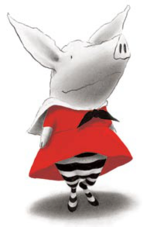
Olivia (fictional pig).pngThink about Olivia, from the books of the same name by Ian Falconer.  She’s a cute pig, but there are a million cute fictional pigs out there.  Actually, Olivia isn’t particularly cute, but the drawings are strong and distinctive, as is her personality.  I mean, she loves opera.  How cool is that?

Is your character unforgettable?  If so, read on…

2. Distinctive Setting

Your character’s world should be compelling enough to make you want to spin more than one story in it.

Wednesday, February 11, 2015

What WON’T you do for a great review? 7 no-no’s that’ll land you in Amazon’s Naughty Book fast.

image

Want more reviews?  Great reviews?

We all do.  But there’s a limit to how we go about getting them.

The big seven Naughty Tactics

If you’re doing any of these, you could wind up (quickly) in Amazon’s Naughty Books (and yes, I have seen all of these):

    Wednesday, January 21, 2015

    Fed up with Kindle Kids’ Book Creator? Try this free, easy 5-step alternative.

    image

    Scared to try doing Kindle books because you’re no techie?  Or have you decided that the Kindle Kids’ Book Creator isn’t the software for you (Here are 5 reasons why it isn’t.) but don’t know what to use instead? 

    Relax.

    Seriously, there is an alternative.  And it’s easy, free, and doesn’t need much more than a working knowledge of Microsoft Word.  It may even be easier than the KDP Kids’ Book Creator software itself.  (Besides being waaaay more flexible.)

    These days, for many of my ebooks, I’m using two simple tools:  Microsoft Word and a free ebook conversion program called Calibre

    I’ve been using Calibre for years and never realized it could not only open and save ebooks but also help create them.

    NOTE:  I’m talking about picture books here.  For longer-format and nonfiction ebooks, you should probably do them entirely in Scrivener ($40, Literature & Latte).  (Here’s a post about how I use Scrivener.)

    I’m going to walk you through my process, in 5 steps I think you can handle and maybe actually enjoy, with a little practice.

    Monday, January 19, 2015

    Building an author mailing list: PART 2, Calls to action.

    image 

    You know you want one.  You know you NEED one.  But how do you GET one in the first place?

    (If you’re not convinced yet, go back and read Part 1 of this 3-part series to find out why you need an author mailing list.  And then take a look at Part 3, which takes you through the (super-easy) steps to get started.)

    The best way to build your mailing list is… to let readers know it exists.

    Sounds simple, right?

    But are you doing it?  The way to do it right is with a call to action at the back of your book.  Calls to action are known as CTA in the marketing business, so that’s what I’m going to call them here.

    Notice I said marketing business.  Lots of writers feel kind of slimy when they think about marketing.  If you do, that’s something you’ll have to get over.

    A back-of-book CTA should be super-simple.  This is a two-step format that every reader will recognize:

    Friday, January 16, 2015

    The disappointment: 5 reasons I’m not using Kindle Kids’ Book Creator software anymore

    image

    Remember how excited I was when Amazon/Kindle released their Kids’ Book Creator software

    And hey, no wonder!  The thing is relatively fast and easy to use, and can turn any book in PDF form into a Kindle ebook with a snap of your fingers.  So many of us lack the technical skills to transform our books that this software totally seemed like magic at first.

    Unfortunately, the magic died pretty quickly.  You can get a sense of that even from the comments on my original post. 

    I did use the Kids Book Creator to convert a few of my print books to ebook form.  But I’m doing things differently now (more on that later), and will be changing over the ones I did using the Kindle Kids Book Creator as I have a chance.

    Here are, not one, but FIVE great big ugly reasons why I won’t be using Kindle Kids’ Book Creator anymore. And maybe you shouldn't, either.

    Thursday, October 30, 2014

    Dear Amazon, what’s up with my Kindle prices?

    image

    How much thought do you put into pricing your books?

    If you’re like me, it’s a lot.  Which is why it finally drove me around the bend that Amazon has been changing all my prices, without even asking nicely.

    When you’re pricing a book, you probably pick a nice, clean number with a 99 on the end, a suffix that is invisible to consumers.  If a book is $8.74 (unless it’s clearly marked down, like from $9.99), it’ll stand out and look weird.

    Know how I know?  Because for a long time, I’ve noticed that Amazon prices for my KDP ebooks look terrible.  They totally jump off the page.  Oh, they’re close to the numbers I’ve picked… but not exactly.  And that has slowly been driving me mad.

    Just to pick a few titles at random, the prices were $5.11, $1.12, $5.14, $1.13.  Those are terrible numbers, numbers that jump off the page and make a buyer reluctant to buy.  That’s very frustrating, especially because I KNEW I’d priced them at $4.99, 99 cents, $4.99 and 99 cents. 

    Why bother planning your prices if they’re just going to change, am I right? 

    What’s going on here?

    I eventually found out why this happens.  If you’re outside the United States, Amazon can tell from your browser’s IP address, and they adjust the price you see accordingly.  Without telling me, Amazon has been detecting my computer’s location and adjusting the prices accordingly.

    At least there’s some GOOD news:  buyers inside the U.S. will most likely see the right prices for your books, namely, the ones you’ve so carefully chosen in KDP’s dashboard.

    To test this, I ran my author page through two “anonymizers,” sites that hide your current IP address so nobody can tell where you’re surfing from.  One was in Europe and one was in the U.S. 

    Here’s what the pricing looks like from each location:

    Books for kids by Jennifer Tzivia MacLeod, available on Amazon.com 

    There are all those terrible prices!  But look what happens if you’re seeing the same page from the U.S.:

    Wednesday, September 3, 2014

    KDP Kids: a first look at Amazon’s new Kindle Kids’ Book Creator software.

    image

    Spoiler alert:  I like it.  VERY much.

    So much, on a first trial pass, that I’m planning to redo all my Kindle books to make them even more true to the print originals.

    Okay, let me back up for a second.  Amazon has just released a new program designed to make creating beautiful kids’ books a total no-brainer.  This is huge news, because self-publishing illustrated kids’ books for Kindle has always been somewhat of a pain in the you-know-where.

    Huge.  Like, “drop everything” kind of huge.

    So I dropped everything to test it out.

    I have a bunch of other things to do this morning, but I wanted to check out the program right away.  You can download the Kindle Kids' Book Creator tool free here. (I love that they remembered the apostrophe!)

    Screenshot 2014-09-04 08.15.23

    I  decided to give it a “quick whirl,” a process that occasionally ends in an hours-long disaster.  Not this time.

    Install was quick, easy:  hassle-free, and the program launched right away after install.  It has a fun, friendly look.

    image

    Again, I was in a rush, so I thought, let’s just haul in an existing PDF and see how it does.

    I’m in the middle of preparing a book called Panda Purim, a Jewish holiday themed follow-up to Penguin Rosh Hashanah (which made it to #9 last night in the Jewish children’s books category!).

    So I just whomped in the PDF file, images, text and all.

    Screenshot 2014-09-04 08.36.42

    Sunday, August 10, 2014

    Free-BEE! Free Kindle book on Amazon.com

    image

    My favourite price in the world:  free.  And my favourite thing in the world:  a kids’ book.  (Yes, one of mine.)

    I don’t usually cross-post, but in this case, I’m making an exception so I can get the word out across all my sites:

    Please Like, Share and pass along this deal.  FREE UNTIL AUGUST 14 ONLY!

    Learn a little about Israel's modern history and its most beloved songwriter in this short kids' chapter book! This week (Aug 10-14), my book "Naomi Shemer: Teaching Israel to Sing" is FREE for Kindle.

    CLICK HERE TO BUY THE KINDLE VERSION FREE UNTIL AUGUST 14.

    I started writing this book when my daughter, named after Naomi Shemer, was a baby… but only finished it last year, when she was 8.  A long time in the making, but I think it’s worth every second.  (And I loved reading it to her and telling her about the amazing lady for whom she’s named.

    Acclaimed in her lifetime as the "First Lady of Israeli Song" and the author of unforgettable classics like Jerusalem of Gold (Yerushalayim shel Zahav), Naomi Shemer is almost unknown in the English-speaking world. With its engaging, straighforward narrative, this book opens the world of Naomi Shemer for the first time to English-speaking children and their parents. Come find out what made her special.

    (I'd also love to get some reviews up, so if you and your kids read/enjoy it, please leave an honest review to help others.)

    Here are some shots from the paperback version of the book:


    image image image

    Enjoy!

    CLICK HERE TO BUY THE KINDLE VERSION FREE UNTIL AUGUST 14.

    Sign up for weekly writing tips (spam-free, guaranteed!)

    * indicates required

    Sunday, June 29, 2014

    Who’s Jeff Gunhus and what makes him a self-publishing success story? (a mini-interview)

    image

    How did I find out about Jeff?

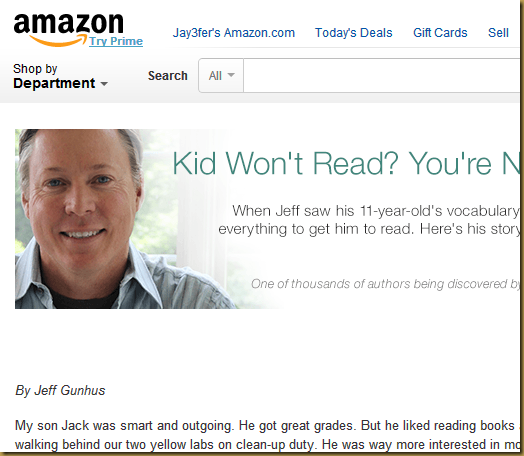
    Well, his self-publishing success story was featured a couple of weeks ago on Amazon’s home page.  And when a self-publishing kids’-book author is highlighted right up there in lights, I sit up and pay attention.

    You’ll be happy I did.

    It turns out that his Jack Templar Monster Hunter series of kids’ books aren’t the only self-publishing Jeff has done. 

    In fact, two of his novels have brought his AuthorRank up to #52 in Kindle eBooks for Horror, a very crowded genre (to give you some idea of who he’s up against, Stephen King is at #1). 

    image Look, the numbers in self-publishing are scary.  So, although it might not seem like an accomplishment that his adult book Night Chill is currently Amazon-ranked #25291, it’s a lot more impressive when you realize he’s up against basically every book in the world.

    That’s why we need to pay attention to what Jeff’s doing right.  Jeff’s done two things (at least) to set himself apart from the crowd: