Showing posts with label self-pub. Show all posts

Friday, February 9, 2018

What the Cat taught me: Lessons for authors from yesterday’s book covers

image

Do you have a favourite book from childhood?  You can probably visualize its cover, right? 
Just picture it in your mind's eye and maybe feel the nice, contented feeling that comes with curling up with a delicious book...

Well, this morning, I came across one of my preteen favorites sitting open on the floor where my daughter had left it when she went to school:  The Cat Ate My Gymsuit, by Paula Danziger:

image

This book meant a lot to me as a kid.  I think it was because of its open acknowledgment that life is sometimes lousy when you’re a teenager but also the gentle message that (thanks, Dan Savage!) it gets better.  That there is a light at the end of the tunnel.  And it does all that with the good-natured humour that the late Paula Danziger brought to all her books.image

I posted this picture on Facebook because it brought back so many memories.  But I also started thinking about both how dated the cover looks (it's from 1978) and also how I doubted publishers would put a picture like this, showing a slightly overweight, slightly depressed teen on the cover of a book today.

Searching Google to find a history of this book cover, and I discovered I was right.  The most current version of this book, on Amazon, just shows

Sunday, February 5, 2017

From Manuscript to Self-Published Book in 10 Simple Steps

image

What’s next? 

That’s the question I hear most often from writers out there.  Maybe even from you.  It’s what everybody wants to know, so if you’re stuck on that question, you’re not alone.

You already have a great story, one you really believe in, and you’re READY – you just want to get your story out there into the world.

Here’s the great news:  you CAN!

You can self-publish your book, in ten not-so-tough steps I’ll lay out for you here.  You’ll have to put in some time, some energy, and there is absolutely a learning curve.  But I believe this process is so simple that just about anybody can master it with a little experience.

I’m going to illustrate these steps with a book that I actually did self-publish.  It’s called Shabbat Monsters.  It’s a good example because it’s a pretty classic 32-page rhyming picture book. 

Let’s get started… at the very beginning, with

Step 1.  Your MANUSCRIPT.

image

Looks pretty plain, doesn’t it?  I hope you’ve had it professionally edited.  If not, go do it – NOW.

Okay, you’re back.  Your story’s ready.  Let’s move on to…

Step 2. Your dummy

No, I’m not CALLING you a dummy!  It’s time to make a dummy.  32 pages, 2-page spreads.  Time to start planning what we (the reader) are going to see on every single page.

imageimageimage

So that’s the first stage of planning what the pages are going to look like.  Once I know what illustrations I’m going to need, it’s time for…

Step 3.  Artwork

If you’re not an artist (you’ll know if you are), I strongly recommend you get a professional to do this step, even if you have to pay them.  I loved the artist I worked with for this book.  A little slow, but she was very responsive.  First, she sent me sketches…

image

Saturday, September 3, 2016

The 5 biggest mistakes when you’re choosing your book title

image

Are you killing your chances before anyone even starts reading your book?

I hinted in my post last week that you can’t really go wrong when you’re choosing book titles.  Except you can.  It’s not easy, but it is definitely possible to choose a lousy title for your kids’ book.

It’s all about cracking the “cover” of your book, real or virtual.  Whether you’re self-publishing or sending your book around to agents or publishers, you need a title that’ll get readers onto page one, where hopefully, your story will do the work of hooking them in for good. 

True, publishers may change the “working title” of a book once they decide to publish it, but you’re still going to need a name for your book that hooks them into reading the thing in the first place.  So try to avoid these FIVE big mistakes.

Friday, September 2, 2016

What should you name your children’s book?

image

Hi, there.  What’s your name???

It’s the first question we ask most people, and when we’re looking for a book, we ask it (in our minds), before we even crack open the cover.

But what if you can’t think of a good name?

What is a good name, anyway?

A lot of writers worry that they might choose the WRONG name and that it’s going to hold their book back.  So before we get started, I have some great news for you:

Your book’s title doesn't have to be awesome… or even poetic. 

Thursday, August 25, 2016

Duckies, dragons, dinos: how old is your reader?

image

Can you tell the difference between a three-year-old and a ten-year-old?

I’m guessing you answered yes to that question.  But do you ask yourself this question when you sit down to write a picture book?  When you’re writing the thing, of course, it’s most important to follow your inspiration and get the words down on the page (screen!). 

But once you’re ready to think about submitting it or publishing it yourself, it’s a different story.  THEN you have to start thinking about audience.

Somebody got in touch the other day to chat about a kids’ book project and he happened to mention that the book was aimed at “kids ages three to eleven.”

Three to eleven???

Saturday, August 20, 2016

Get your FREE self-publishing checklist!

image[4]

Complete Self-Publishing Checklist – - FREE

It’s easier than you ever imagined!

In only 2 concise pages, this PDF offers you everything you need to get started OR get inspired.  Turn your fabulous story into an even more fabulous ready-to-print-and-Kindle children's book.  This checklist distills my own experience - about five years' worth - into one quick and easy reference.

To get the checklist INSTANTLY, please fill out the form to be added to our mailing list.
Remember to scroll all the way down and click SUBMIT to be redirected to the download page:

Wednesday, July 15, 2015

Should you self-publish your children’s book? These 5 questions will help you decide.

image

You have a wonderful story, and it’s written at last.  What should you do with it now?  You want to get it off your hard drive and out into the world… but how?

Maybe you're thinking you should self-publish... but then, you've heard that it's hard work.  Or maybe you're considering sending it out to a publishing company - but have heard there’s so much frustration if you go that route.

Should you self-publish?  Or traditionally publish?  This may be the hardest question we face as writers today.

Self-publishing has grown tremendously and is starting to find its sea legs in today's stormy publishing world.  31% of Amazon's Kindle sales come from indie books, self-published by their authors or tiny (sometimes single-author) publishing companies.  40% of ebook payouts are going to indie authors.  “Kindle millions” might be a myth, but maybe you should try to cash in on some of those megabucks? [stats from Publishers Weekly]

These five questions will help you make the choice, based on my experience navigating the joys and frustrations of self-publishing nearly 20 books for kids and adults, and helping others get their books out into the world. 

There’s no right or wrong answer to these questions.  But if you find yourself answering NO to most of them, a traditional publisher will probably offer a more comfortable route to a final book.

1.  Do you have a clear idea of where your book’s illustrations will come from?

It doesn’t matter whether you’re doing the illustrations yourself or hiring an illustrator.  The important thing is knowing that if you self-publish, you’ll have to either lay out the book yourself or pay someone with these skills to do it for you.

Tuesday, June 9, 2015

So you want to write a children’s book…? The ultimate Quick-Start tutorial.

image

When I started out writing children’s books, I was full of ideas, but I had no idea what to actually DO. 

Should I write the story?  Find an artist?  How was it all supposed to come together into an actual book?  Like I said, I had no idea.

You might be right where I was a few years ago, wondering how to get started.

I’ve put this quick-start guide together to help YOU skip over the mistakes I made.  I hope it’ll help give you a smoother launch into this incredible world of writing for children.

1. How can you write (or finish) your book?

You can’t do much until you have a finished book saved on your hard drive (or, if you’re the old-fashioned type, written down on paper).  Here are the basics, the least you need to know to sit down and get writing.

Sunday, May 31, 2015

Trimming your tribe. 7 reasons a smaller mailing list is better for you as an author.


It may not sound like big potatoes compared to Stephen King, but as my mailing list grows towards 1000 readers, I'm trimming the tribe.  And you might want to consider it as well.

Here are 7 good reasons why a smaller list is better for "business" when you're a writer:

1) Smaller lists are cheaper. 

Most services charge more as your lists grow.  Trimming them regularly to get rid of those who don't read your emails will keep these charges down.

2) Smaller lists are targeted. 

You'll have a better idea who's reading and what their needs are.  Remember, you can't please all of the people all of the time - so quit trying.

Wednesday, May 27, 2015

The lemonade-stand marketing lesson every indie author needs to read.


One sizzling summer day, my daughter decided to run a lemonade stand.  Maybe your kids did this too, once or twice?

She set up shop in front of our house.  She had a sign, a table, fresh cold lemonade (mmm, I’m making myself thirsty – it’s super-hot here as I write this!), and opened up for business.

And then… nobody came.

What did she do wrong?  She was certainly cute enough.  And the lemonade was sweetly tart, frozen and refreshing.

But we lived on a one-way street that didn’t get a lot of traffic.  People were driving past quickly and weren’t in a mood to buy lemonade.  She sold a couple to our neighbours, but really didn’t attract a lot of interest beyond the immediate area.

So the next time we thought about doing a lemonade stand, we did it at my mother’s place, a block away.  Not such a big difference, right?  But there were a few major factors that changed the game:
  • It was a two-way street, with a major road nearby
  • There were lots of bikes and joggers going past
  • It was close enough that our own neighbours could come there, too
  • It was down the street from a police station, so everyone was driving slowly and paid attention to the little girl with the lemonade stand.

Thursday, April 23, 2015

How to write an author bio that will sell children’s books

image

Have you ever READ an author bio?

Probably you have.  That’s because you’re a writer, so you’re interested in other writers.  At least, I know I am.

Here’s the thing:  you’re not a kid.  Let’s be honest:  it’s not kids who will be reading your author bio.

Most kids couldn’t care less about who wrote the book, unless they’ve finished one and are looking for more of the same.  So it’s probably parents, grandparents, teachers and librarians who will be reading the author bio. 

There are two kinds of people who are reading your author bio:

  1. People who aren’t sure whether they should buy your book
  2. People who have read your book and want to know more about you

In both cases, a little honesty can go a long way.  In both cases, you want to make a connection that is friendly and personal (not commercial!).  You want them to trust you and – maybe, just maybe – to like you.

Let’s look at ways we can make the bio as appealing as possible without being crass.  What you don’t want is for your bio to sound like marketing copy.

Here’s the trick:  you want your bio to be relatable, which means not too weird.  But you also don’t want it to be so tedious that you are ultimately forgettable.

What should you call yourself?

For some writers, the hardest part of creating an author bio is describing themselves in the third person.  As tempting as it may be to say “I’m a mom of 4, a SCUBA diver and a cat lover,” resist. 

Suck it up, and keep yourself in the third person.  It just looks and sounds better.

The best advice I can give you is to read 5-10 bios of well-known children’s authors before you sit down to write your own.  I think it’ll inspire you, offering hints as to voice and how to streamline your message effectively.

Go long or stay short?

Monday, March 30, 2015

Illustrating your kids’ book on a shoestring budget: YES, you can! (here’s how)

image

Your book is perfect… now, do you know where are the pictures are coming from?

The other day at my SCBWI meeting (have you joined yet?), I mentioned my easy technique for creating a Kindle book from Microsoft Word, and I said, “you just take the words and pictures and pull them together in Microsoft Word.”  To which someone asked, “yeah, but where do the pictures come from???”

Everybody’s ears perked up.  Where DO the pictures come from?

You see, most of us are writers, not illustrators.  Some of us couldn’t even draw stick figures, even if our lives depended on it.

If you write AND draw, you’re lucky.  For most of us, writing is easy… and drawing our own pictures is an impossible dream.

But don’t worry – that doesn’t mean you’re stuck!  Here are three affordable ways (from cheapest to most expensive) that I’ve managed to get great pictures for my own books at prices that didn’t bankrupt me (yet):

1) Super-cheap:  Stock illustrations & photos

I told you a couple of weeks ago about how I get stock photos and illustrations for only $1 apiece… and sometimes, even less.  I really recommend you check it out.

Not every book is the right fit for stock photos, but sometimes, they can add a lot of fun to a story.  I’ve written a series of Jewish holiday children’s books illustrated with stock photos of animals.

Monday, March 2, 2015

Is your kids’ book blah or blechhhh? These 10 FREE font pairings add a professional touch.

image

Picture a mom, surfing Amazon one morning.  Maybe she’ll buy your picture book?  It’s perfect for her kids.  The cover sure looks promising, she thinks.  She clicks on it to Look Inside.  She skips through a couple of pages, and suddenly, she’s shaking her head. 

Something’s clued her in.  She’s figured out that your book is self-published and she suddenly has no desire to read any further.

What went wrong???

Readers don’t usually know exactly what’s turned them off about a self-published book.  But a lot of the time, badly-chosen fonts are the culprit.  Maybe your fonts are amateurish?  Maybe you’re using cruddy novelty fonts that make your book hard to read or dizzying on the page?

Today, there are so many great great FREE font choices out there.  Your book doesn’t have to be the one she clicks shut.  It could be the one she clicks Buy for instead and eagerly waits for it to show up in her mailbox so she can share it with her kids.

You may not be a professional graphic designer, but you should have some understanding of the basics of what makes a good font combination.  The fonts of your book should be:

  • clear
  • readable (for adults and kids)
  • normal, ie not attract TOO much attention

I’m sure you’ve seen children’s stories that look like this.  The text is muddled and hard to read:

image

So how can you rescue your book from falling into the same trap?

Ten free font combos to the rescue!

These 10 winning font combos are superheroes of the modern design world.  They’ll help you perk up any kids’ book and create just the right mood for your story.  These 20 fonts are all free, so there's no excuse to stick with Calibri, Times New Roman, Papyrus or (gasp!) Comic Sans anymore.

Saturday, February 14, 2015

Does it take crude and rude to get a kids book published? GUEST POST by Nikki Aksamit

image

How is it that a children's book series about a flatulating dog is in every library, every bookstore in the U.S., imagebut one that explains difficult subjects such as death, cancer and bullying to young kids may never be read, or reach a bookstore shelf?

 image Why does a series about a boy and his garbage eating pet fly scream out in all its Technicolor glory from the shelf of the "my first reader section" at my local library, but books that give young kids clear answers to their tough questions sit unpublished on the author's hard drive?

Are we shielding our kids?

Do we think young kids should be shielded from "uncomfortable" topics? Do we think children under a certain age "can't handle" the subject matter? Do we think it's better to entertain than to educate until children reach school age? Or does crudeness sell more books?

Thursday, February 5, 2015

Building an author mailing list: PART 3, How to get started (the nitty-gritty).

image

Ready to get started?

Great.  Let’s roll up our sleeves and dig in.

I hope I’ve convinced you that an author mailing list is a great way to chat directly with people who love your writing. 

(If you’re not convinced yet, go back and read Part 1 of this 3-part series to find out why you need an author mailing list.  Then read Part 2 about how to convince readers to sign up (hint:  just ask them).)

So now the question is, where do you start?

Step 1:  Choose a provider

There are a few email list providers.  Some let you get started for free.  The top two are Mailchimp and Aweber.  I use Mailchimp, mainly because it was free to start out, and slightly less expensive on an ongoing basis, but to be honest, I don’t love it.  Aweber looks like it starts at around $29 a month, but they let you try it for a month for $1.

Monday, January 19, 2015

Building an author mailing list: PART 2, Calls to action.

image 

You know you want one.  You know you NEED one.  But how do you GET one in the first place?

(If you’re not convinced yet, go back and read Part 1 of this 3-part series to find out why you need an author mailing list.  And then take a look at Part 3, which takes you through the (super-easy) steps to get started.)

The best way to build your mailing list is… to let readers know it exists.

Sounds simple, right?

But are you doing it?  The way to do it right is with a call to action at the back of your book.  Calls to action are known as CTA in the marketing business, so that’s what I’m going to call them here.

Notice I said marketing business.  Lots of writers feel kind of slimy when they think about marketing.  If you do, that’s something you’ll have to get over.

A back-of-book CTA should be super-simple.  This is a two-step format that every reader will recognize:

Wednesday, January 14, 2015

Pricing your self-published kids’ books: are you doing it wrong? (5 essential guidelines)

image

Did you ever have a garage sale or yard sale?

I have, and one of the toughest parts was figuring out how to price the stuff I was selling.  You want it to go, but you want to make something.  Your stuff is valuable – at least to you – plus, you want to get paid for your time and trouble in setting everything up.

It’s sort of like that when you’re selling your own books.

How much will YOUR book cost?  Have you decided yet?

It’s a ton of pressure.  How do you know you’re not doing it wrong?  If you price your book too high, it won’t sell. 

Cheap isn’t always the answer, either.  Price your book too low, and people may decide it’s worthless and give it a pass.  It’s your book – it’s your baby.  Pricing our books fairly is a challenge all of us face, not just once, but every single day we hang out our shingle as indie, self-published writers.

Keep yourself on the right track with these 5 handy guidelines.  Use them to help pick your price point and you may find your way to financial success as a children’s-book writer after all.

Sunday, January 11, 2015

Building an author mailing list: PART 1, Do you need one?

image

Do you need an author mailing list?  Yes, you do.

Seriously.  You need a mailing list, period.

This is Part 1 of a 3-part series that will convince you that you do.  And prove that it’s super-easy to get started.  Part 2 will show you how to get readers to sign up, and Part 3 is the nitty-gritty how-to (but don’t worry, it’s easy to get started).

If things were different, if Amazon and other sites told you who was buying your stuff, or gave you access to their information, then I might not think you need a mailing list at all.  Then again, do you want those sites to control your relationship with readers?

Didn’t think so.

Amazon is not your friend.  Amazon wants to suck your buyers in, then grab their info so they can sell them other writers’ books. 

Pretty nasty, huh?  So that means you’ve got to look out for yourself.  (Not to mention that you may want to sell through other sites, besides Amazon.)

Still, you might not understand exactly why you need a mailing list.  Maybe one of these sounds like you…

Thursday, December 18, 2014

Drat, foiled again (or the spineless truth about CreateSpace).

image

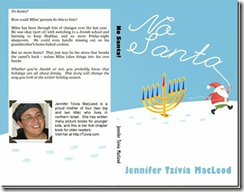
I told you a couple of weeks ago all triumphantly how I created a kissable cover and got around Amazon / Createspace’s arbitrary minimum-page requirements for having a proper spine on your book.  I succeeded that time with my 100-page chapter book No Santa!  image

But guess what???  When I tried the same magic again yesterday with an 88-page nonfiction book, Createspace stopped me in my tracks with their silly arbitrariness.

I worked long and hard to create a BEAUTIFUL (if I say so myself) cover, and submitted it along with my interior.  Here’s what the full design looks like:

image

(Spineless Wonders is the first in what I plan as a series of Jewish, Bible-based science books that’s already available for Kindle here.)

Believe me, everything fit perfectly within the little template they give you. 

image

But when I submitted all the files, Createspace’s gnomes went to work destroying all that is good.  They must have detected that I was trying to get away with something.  When my files were approved for proofing, I went in to take a peek… only to discover this message:

Monday, November 10, 2014

DIY chapter books in Microsoft Word – a five-step cheat sheet.

image

Written five books for kids with nothing to show for it but a page of Kindle ebooks? 

It’s time to break into print, if only to have something to show your mom, and your friends, and your kids, and their friends, and… well, print books are just awesome in every way.  If you haven’t released one  yet, you should.

Even if your ebooks are selling great, you may not feel like a “real” author if everything you’ve done is digital.  There are other great reasons to print your stuff as well, especially for kids, even if the profit margins may not be as high as for ebooks.  (They’re not; sorry.)

It may sound like an exercise in masochism, but with a little patience, you can format your own book for print using nothing more than Microsoft Word.

The most popular thing on my site are my free children’s picture book templates, and it’s true:  I could have just made another template to help you do chapter books.  But take my word for it:  you don’t need a template for this.  I want to help you make the book you dream of, quickly and easily, using tools you already have.

That’s what this post is all about.

I originally wrote my new chapter book, No Santa!, in Scrivener, but I knew all along that print was in its future.  Scrivener can output to Microsoft Word format (.doc or .docx), but only provides minimal formatting.  Your book is definitely not ready to print yet.

santa2r

But don’t panic.  It won’t take much to whip it into shape.  You will need a slightly more-than-basic familiarity with Word, but you don’t have to be a guru.  If you’re comfortable with stuff like Styles and Margins, plus Headers and Footers, you’ll be okay.

Here’s your five-step cheat sheet to take your naked manuscript, Times New Roman and all, and turn it into a professional-looking print-ready PDF:

1) Use global Styles rather than formatting

Don’t format your text!  What I mean by this is don’t just highlight individual sections of your text and set them up to look the way you want.  Instead, assign each section of your text to a particular Style – either one of the many built-in styles or styles you create yourself.  You can change the way that style looks once you’ve done that, and then every instance of that Style will be changed at the same time.  You will save yourself a TON of work in the long run.

image

I assigned all my chapter titles to the Heading 1 style.  Heading styles are important because they will show up in your Table of Contents later on, if you create one.  Of course, all of your text should be in the same Style.  I usually use the built in Normal style and then tweak the Style for the size and font I need.

2) Choose fonts carefully